What Is an ISP and How Does It Work? A Complete Guide
An Internet Service Provider (ISP) is the company that connects your device to the internet, routing data through global networks using technologies that determine your speed, stability, and overall online experience.

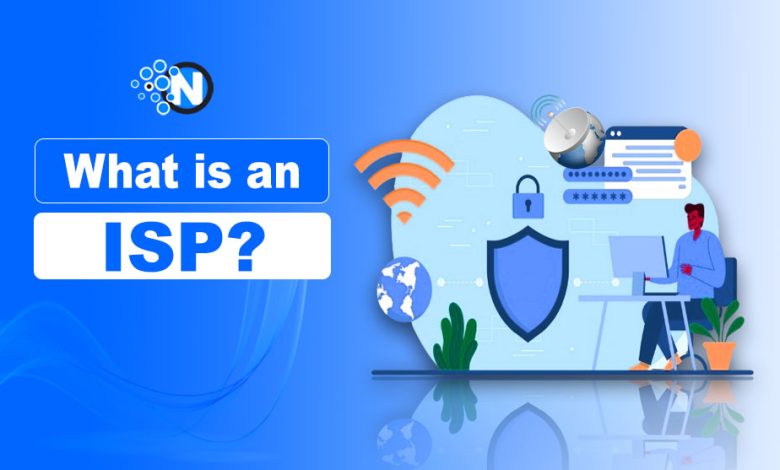
Every time you open a website, stream a video, send a message, or join an online meeting, there’s an unseen company making that connection possible. That’s an Internet Service Provider (ISP).
Most people only think about their internet provider when the connection stops working. I did the same until an internet outage during an important online meeting made me realize how much I rely on these companies every day.
An Internet Service Provider (ISP) is a company that connects homes, businesses, and devices to the internet. It enables access to websites, apps, and online services. ISPs deliver internet connectivity through technologies such as fiber-optic, cable, DSL, satellite, and wireless networks.
In this guide, you’ll learn what an ISP is, what ISP stands for, how internet service providers work, the different types of ISPs, their role in networking, and how to choose the right provider for your needs.
What is an Internet Service Provider?
An Internet Service Provider (ISP) is a company that provides internet access to homes, businesses, schools, and other organizations. It enables users to browse websites, stream content, use cloud applications, send emails, and communicate online.
ISP stands for Internet Service Provider and delivers connectivity through technologies such as:
- Fiber-optic internet
- Cable internet
- DSL (Digital Subscriber Line)
- Fixed wireless internet
- Cellular networks
- Satellite internet
Some of the most popular Internet Service Providers in the United States include:
Each provider offers different speeds, coverage areas, pricing plans, and service features. Since internet infrastructure varies by location, the available ISP options depend on where you live.
For example, comparing plans such as Xfinity Internet Plans can help you evaluate speeds, installation options, equipment requirements, and additional features. Some providers also offer premium add-ons like xFi Complete, which includes advanced Wi-Fi equipment, network management tools, and unlimited data for eligible customers.
In simple terms, an ISP acts as the link between your device and the wider internet. When you connect through Wi-Fi, Ethernet, or mobile data:
- Your device connects to the ISP’s network.
- The ISP routes your request across its infrastructure.
- The request reaches the destination website or online service.
- The requested information is returned to your device.
Without an ISP, devices such as computers, smartphones, gaming consoles, and smart TVs would not be able to access online services.
Beyond providing internet access, ISPs manage network infrastructure, assign IP addresses, route internet traffic, and connect local networks to the global internet.
How Does an ISP Get the Internet?
ISPs get internet access by connecting their networks to large telecommunications companies and backbone providers that operate high-capacity networks across countries and continents.
When you connect a computer, smartphone, or other device through Wi-Fi or a LAN connection, you are accessing a network operated by your ISP. At home or in the workplace, your internet traffic passes through an ISP before reaching websites and online services.
The ISP’s network is connected to larger regional and global networks that carry data worldwide. To provide internet access, ISPs rely on:
- Backbone Networks: High-capacity networks that connect cities, countries, and continents.
- Points of Presence (PoPs): Physical locations that allow local users to connect to the ISP’s infrastructure.
- Dedicated Connections: Links between ISPs and backbone providers that carry internet traffic across the globe.
The process works like this:
- Your device connects to the ISP’s network.
- The ISP routes your request through its infrastructure.
- The request travels across backbone networks.
- The destination website or service sends data back.
- The ISP delivers that data to your device.
This network of ISPs, PoPs, and backbone providers is what allows Internet Service Providers to deliver internet access to homes, businesses, schools, and organizations worldwide.
Read Also: What is Near Field Communication – Its Features and Applications
Types of Internet Service Providers
ISPs use different technologies to deliver internet access. The type of internet service providers available to you depends on your location, infrastructure, and service coverage in your area.
Cable ISP
Cable internet uses coaxial cables, the same infrastructure traditionally used for cable television services. It is one of the most widely available broadband options in the United States.
Key benefits:
- High download speeds
- Wide availability
- Reliable performance
- Less affected by weather conditions
Cable internet remains a popular choice for households that stream content, browse the web, and work remotely.
Satellite ISP
Satellite internet delivers connectivity through satellites orbiting the Earth, making it a practical option for rural and remote areas where cable or fiber networks are unavailable.
Key benefits:
- Available in remote locations
- Broad coverage area
- No need for extensive ground infrastructure
Limitations:
- Higher latency
- Weather-related disruptions
- Less suitable for competitive online gaming
Fiber ISP
Fiber internet uses fiber-optic cables that transmit data through light signals instead of electrical signals. This technology offers some of the fastest and most reliable internet speeds available today, just due to the fiber optic wavelength.
Key benefits:
- Extremely fast speeds
- Low latency
- High reliability
- Better performance for streaming, gaming, and remote work
The main drawback is the high cost of building fiber infrastructure, which limits availability in some regions.
DSL ISP
DSL (Digital Subscriber Line) delivers internet service through existing telephone lines. Although it is an older technology, it remains available in many areas where fiber and cable networks have not expanded.
Key benefits:
- Affordable pricing
- Wide availability
- Stable connection for everyday internet use
Limitations:
- Slower speeds than fiber and cable
- Performance may decrease with distance from the provider’s equipment
Fixed Wireless ISP
Fixed wireless internet uses radio signals to transmit data between towers and customer receivers without requiring physical cables.
Key benefits:
- Fast deployment
- Suitable for rural communities
- No underground cabling required
Fixed wireless ISPs are commonly used in areas where laying fiber or cable infrastructure is difficult or expensive.
Cellular ISP
Cellular internet uses mobile networks such as 4G LTE and 5G to provide internet access. Many providers now offer home internet services powered by cellular technology.
Key benefits:
- Flexible installation
- Expanding 5G coverage
- Suitable for both mobile and home internet use
As mobile networks continue to improve, cellular ISPs are becoming a strong alternative to traditional broadband services.
How to Choose the Right ISP for Your Needs
The best Internet Service Provider depends on your location, budget, and internet usage.
A provider that works well for one household may not be the right choice for another, so it’s important to compare your options carefully.
Internet Speed
Choose a plan that matches your online activities:
- Basic browsing and email: Lower-speed plans are usually sufficient.
- HD and 4K streaming: Require faster download speeds.
- Online gaming: Benefits from low latency and stable connections.
- Remote work and video conferencing: Need reliable upload and download speeds.
Reliability
A fast internet connection is only useful if it remains stable. Look for ISPs with:
- Minimal downtime
- Consistent performance
- Positive customer reviews
- Reliable customer support
Availability
Not all ISPs operate in every area. Availability depends on local infrastructure, so the best internet service provider in your area may be different from the best provider in another city or state.
Before comparing plans, check which providers are available at your address.
Pricing and Data Limits
Compare more than just the monthly price. Consider:
- Installation fees
- Equipment rental costs
- Data caps
- Contract requirements
- Bundled services
The cheapest internet service provider may save money upfront, but higher-speed plans or unlimited data options can offer better long-term value for heavy internet users.
Consider the Type of Internet Connection
The technology used by an ISP can significantly affect performance:
- Fiber: Fastest and most reliable option where available.
- Cable: Widely available with strong performance.
- DSL: Affordable but generally slower.
- Satellite: Useful for rural and remote areas.
- Fixed Wireless: A good alternative where wired infrastructure is limited.
- Cellular (4G/5G): A growing option for home internet users.
Choosing the right ISP based on internet speed, reliability, availability, and pricing will help ensure a smoother and more efficient online experience.
How to Find Out Who Your ISP Is?
If you’ve ever asked, “What is my ISP?” or “Who is my ISP?”, there are several easy ways to find out.
Check Your Router Settings
Most routers display ISP information in their admin dashboard.
- Open your router’s settings page.
- Log in using your administrator credentials.
- Look for the Internet, WAN, or Connection Status section.
In many cases, your Internet Service Provider’s name will be listed there.
Check Your IP Information
You can also identify your ISP using your public IP address.
- Search “What’s my IP?” in your browser.
- Open an IP lookup tool.
- Review the ISP or Internet Provider information associated with your IP address.
This method is one of the quickest ways to determine who provides your internet connection.
Check Your Internet Bill
Your ISP’s name is usually listed on your monthly bill or account statement. If you pay for internet service separately, this is often the easiest way to identify your provider.
Contact Your Property Manager or Landlord
If you live in an apartment, dormitory, or managed property, internet service may be included in your rent. In that case, your landlord, property manager, or building administrator can tell you which ISP provides the connection.
Knowing your ISP can be helpful when troubleshooting connection issues, comparing internet plans, upgrading your service, or checking internet speeds.
Why Are ISPs Important?
Without Internet Service Providers (ISPs), accessing the internet would not be possible. ISPs influence several aspects of your online experience, including:
- Internet speed and performance
- Data limits and pricing
- Connection reliability
- Additional features such as Wi-Fi equipment, parental controls, and security tools
Connecting Users to the Internet
The primary role of an ISP is to provide internet access. Whether you are browsing websites, streaming videos, shopping online, or using social media, your ISP enables that connection.
Supporting Online Communication
ISPs make modern communication possible by supporting services such as:
- Video conferencing
- Messaging apps
- Voice and video calls
- Social media platforms
Without reliable internet connectivity, these services would not function effectively.
Enabling Businesses and Cloud Services
Businesses rely on ISPs to access cloud platforms, online collaboration tools, customer management systems, and e-commerce services. Reliable internet access is also essential for remote work, data storage, and real-time communication.
As internet usage continues to grow, the role of Internet Service Providers becomes increasingly important in supporting both personal and business connectivity.
People Also Ask
Can I have more than one ISP at the same location?
Yes, many homes and businesses can choose from multiple ISPs if different providers operate in their area. Having multiple options allows users to compare speeds, pricing, and service quality before selecting a provider.
Do ISPs provide Wi-Fi or just internet access?
ISPs provide internet access, while Wi-Fi is typically delivered through a modem-router or gateway connected to the ISP’s network. Many providers also rent or sell Wi-Fi equipment as part of their internet plans.
Why do internet speeds vary even when I have a high-speed plan?
Internet speeds can be affected by network congestion, Wi-Fi signal strength, device limitations, server performance, and the number of connected devices using the network at the same time.
Can I change my ISP without changing my devices?
In most cases, yes. Computers, smartphones, smart TVs, and gaming consoles will continue to work with a new provider. You may only need to update your modem, router, or network settings depending on the ISP’s requirements.
What is the difference between an ISP and a broadband provider?
An ISP is any company that provides internet access, while broadband refers to a type of high-speed internet connection. Most modern ISPs offer broadband services through technologies such as fiber, cable, DSL, or wireless networks.
Do businesses use the same ISPs as residential customers?
Many ISPs offer both residential and business internet services. However, business plans often include higher speeds, dedicated support, service-level agreements (SLAs), and enhanced security features.
Can the weather affect internet service?
Yes, certain internet technologies can be affected by weather conditions. Satellite and some fixed wireless connections are more susceptible to disruptions caused by heavy rain, storms, or extreme weather, while fiber and cable connections are generally less affected.
Conclusive Thoughts on Internet Service Providers
It is undeniable that the internet has become one of the most important utilities of the modern world, alongside electricity and communication systems. From powering smart homes to enabling complex business operations, it plays a central role in everyday life.
ISPs are continuously evolving to meet growing demands. With advancements like 5G and fiber networks, internet services are becoming faster, more reliable, and more accessible for users worldwide.