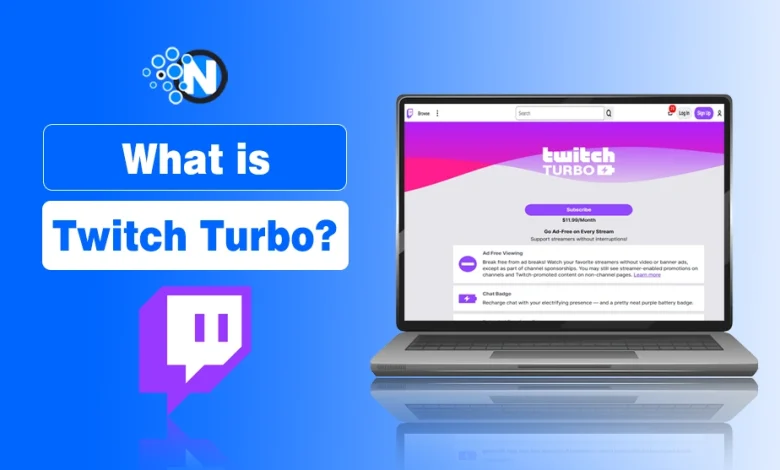
Twitch Turbo is a premium subscription that removes ads across the platform and enhances your streaming experience. Many users search for what Twitch Turbo is, how much it costs, and whether it is worth it before subscribing.
Unlike channel subscriptions, Twitch Turbo works platform wide, meaning you get ad-free viewing on all streams instead of supporting just one creator.
It’s designed for Twitch users who want fewer interruptions and an exceptional streaming experience with a bit more flair in their interactions. It’s like a VIP pass for Twitch fans (like me) who want to skip the noise of ads and enjoy the content and streaming on Twitch.
As a Twitch Turbo subscriber, I enjoy an ad-free and enhanced streaming experience to watch my favorite sports streams without any ads or interruptions.
What Is Twitch Turbo?
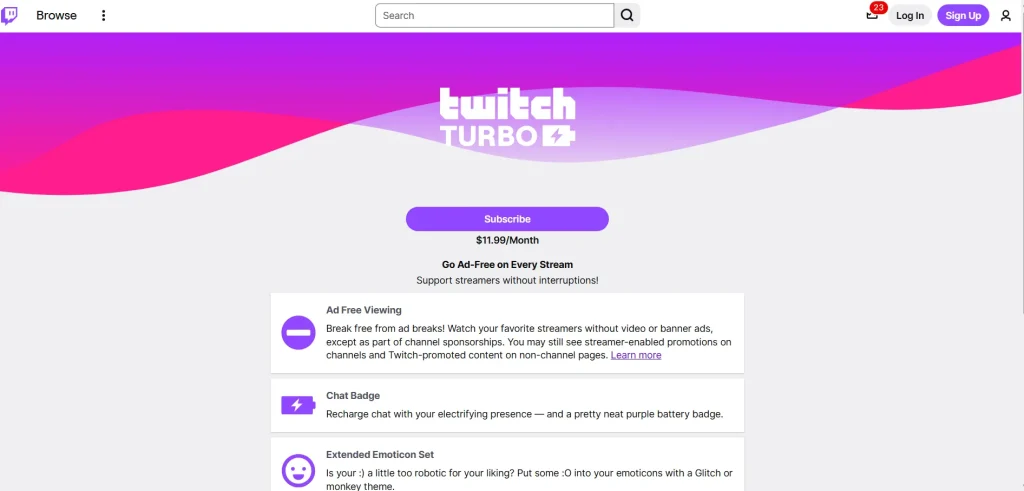
Twitch Turbo is Twitch’s premium monthly subscription that provides platform-wide benefits like ad-free viewing, an exclusive chat badge, chat customization, and extended VOD storage.
Unlike a channel subscription, Twitch Turbo applies across your entire Twitch account rather than supporting a single streamer.
It is designed for frequent Twitch viewers who want fewer interruptions while watching streams and additional account-wide perks that enhance their overall viewing experience.
Features of Twitch Turbo
Twitch Turbo includes five core features: ad-free viewing, extended VOD storage, an exclusive chat badge, expanded global emotes, and chat customization. Together, these features provide a smoother and more personalized Twitch experience.
1. Ad-Free Viewing
Twitch Turbo removes most ads across Twitch for uninterrupted streaming.
Turbo eliminates pre-roll, mid-roll, companion, and display ads on most channels, allowing you to watch streams without frequent interruptions. However, channel sponsorships, embedded promotions, or certain Twitch announcements may still appear.
2. Extended Broadcast Storage
Twitch Turbo extends your Past Broadcast (VOD) storage to up to 60 days.
Instead of the standard 7-day retention for regular users or 14 days for Affiliates, Turbo allows eligible users to keep their past broadcasts for up to 60 days. This gives streamers more time to create highlights and share older content, and lets viewers catch up on previous streams.
3. Exclusive Chat Badge
Twitch Turbo gives you an exclusive global chat badge.
Turbo subscribers receive a distinctive purple battery badge with a lightning bolt next to their username in chat. The badge identifies your Turbo membership across Twitch and helps distinguish your account during live conversations.
4. Expanded Emote Set
Turbo unlocks additional global Twitch emotes.
Subscribers gain access to extra global emote sets, including popular Twitch emotes like the Glitch and Monkey collections. These are available across Twitch Prime and do not replace channel-specific subscriber emotes.
5. Chat Customization
Twitch Turbo lets you customize your chat appearance.
You can personalize your username by selecting standard Twitch chat colors or entering a custom HEX color code. This gives you greater flexibility to personalize your identity while participating in Twitch chats.
You can change the visual settings in the same way as prime gaming users. You’ll be able to choose the chat color that you wish to apply.
You can also change the display name and its colors. There will be many standard color options, but you can also choose the HEX color code.
Twitch Turbo VS Prime Gaming Comparison
There are many common features between Turbo and Prime Gaming, Twitch Prime is the previous name of Prime Gaming.
| Feature | Twitch Turbo | Prime Gaming |
|---|---|---|
| Ad-Free Viewing | Yes | Limited (not always ad-free) |
| Emotes & Chat Colors | Yes | Yes |
| Amazon Prime Integration | No | Yes |
| Free Channel Subscriptions | No | Yes (1 per month) |
| Access Type | Standalone | Bundled with Amazon Prime |
Prime Gaming (formerly Twitch Prime) is part of Amazon Prime. It offers extra benefits like one free channel subscription per month, in-game loot, and more.
Turbo is purely focused on the streaming experience. Twitch has complete ad removal, while Prime can still show some ads depending on stream settings.
Which One Should You Choose?
Choose Twitch Turbo if you primarily watch Twitch and want an ad-free viewing experience with exclusive chat features and extended VOD storage.
If you’re already an Amazon Prime member or enjoy claiming free games, in-game loot, and a monthly channel subscription, Prime Gaming offers better overall value beyond Twitch. However, it does not replace Twitch Turbo because it doesn’t provide platform-wide ad-free viewing or extended broadcast storage.
Pro Tip: If you already use Amazon Prime, Prime Gaming offers solid value. But if your focus is only ad-free viewing and chat customization, Turbo is the better standalone pick.
Twitch Subscriptions with Prime Gaming and Turbo
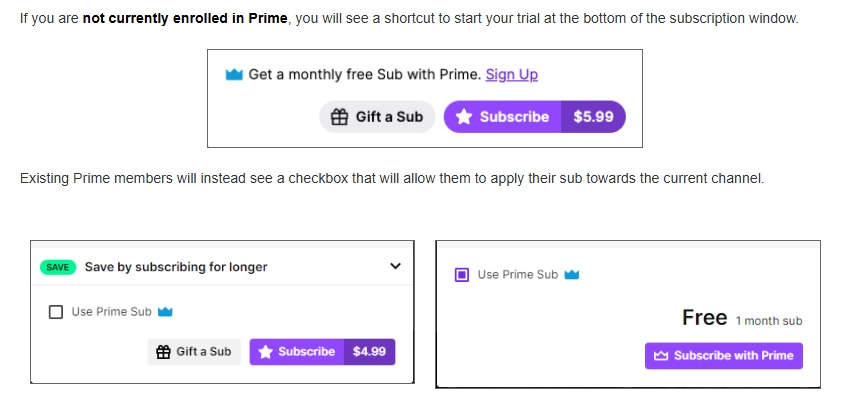
Similarly, like other social media networks, you can also subscribe to a channel or streamer on Twitch Turbo to see its future videos and activities. When you subscribe to a streamer on Turbo, it is some kind of financial support to them on your behalf.
Twitch has only a monthly subscription package, but it also gives an automatic renewal of the subscription for one year. But you can cancel the subscription package at any time. To stop, simply click ‘Don’t Renew’ on the subscription page.
How to Subscribe to a Turbo Channel?
- To subscribe to Twitch Turbo, go to your account settings and select the Turbo plan from the subscriptions section.
- Choose a subscription tier that suits your budget.
- Optionally, gift Turbo subscriptions to other viewers.
- Manage subscriptions by clicking your profile picture and selecting “Subscriptions”.
Twitch offers only monthly subscriptions, with automatic renewal. However, you can cancel anytime by selecting “Don’t Renew” on the subscription settings page.
Payment Options:
- Amazon Pay
- Credit/Debit Card
- PayPal
- Paysafecard
How Much is Twitch Turbo?
Twitch Turbo costs $11.99 per month.
- Platform-wide ad-free viewing
- Not tied to a single streamer
- Cancel anytime
Users often search for twitch turbo price, twitch turbo cost, and how much is twitch turbo, all referring to the same monthly subscription.

Is Twitch Turbo Worth It?
Yes, Twitch Turbo is worth it for regular Twitch viewers who want ad-free streaming, extended VOD storage, and exclusive platform-wide features.
If you only watch Twitch occasionally or mainly support one creator, a channel subscription or Prime Gaming may offer better value.
Twitch Turbo is worth it if you:
- Watch multiple Twitch channels every week.
- Want to remove most ads across the platform.
- Need up to 60 days of VOD storage for past broadcasts.
- Enjoy exclusive chat customization, global emotes, and a Turbo chat badge.
- Prefer a better viewing experience across Twitch rather than benefits tied to a single channel.
Twitch Turbo may not be worth it if you:
- Only watch Twitch occasionally.
- Primarily want to support one streamer with subscriber-only perks.
- Already use Prime Gaming mainly for its free monthly channel subscription and gaming rewards.
- Don’t mind watching ads while streaming.
Alternatives to Twitch Turbo
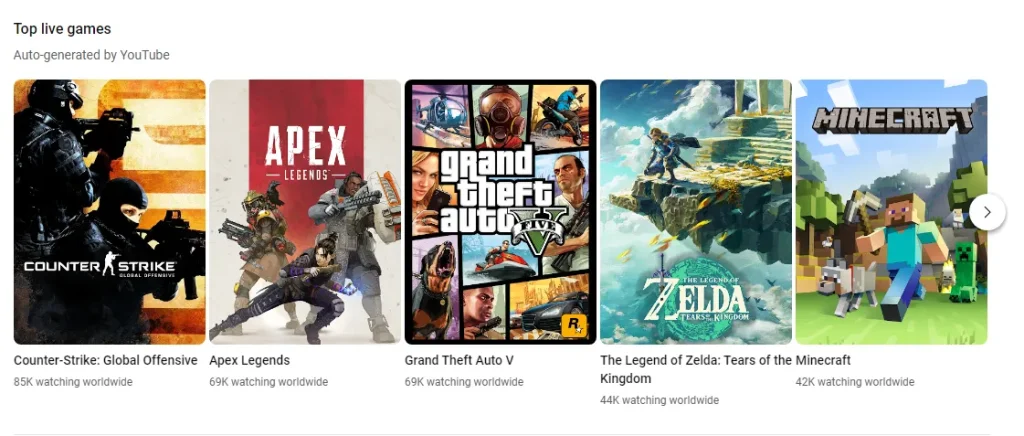
1. YouTube Gaming
YouTube Gaming is a dedicated gaming platform by YouTube that offers live streaming, gaming content, and the ability to interact with creators.
While it does not offer a specific ad-free subscription like Twitch Turbo, YouTube Premium provides an ad-free experience across all of YouTube, including gaming content.
2. Facebook Gaming
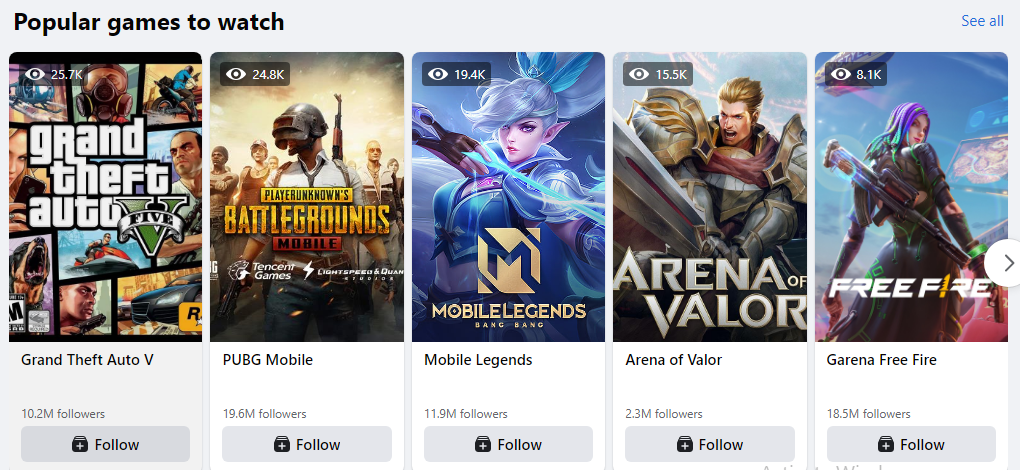
Facebook Gaming is a platform that allows users to stream and watch live gaming content. It integrates with Facebook’s social features, enabling users to engage with the gaming community through live chat and interactive features. It does display ads, and users can support their favorite creators through various monetization options.
People Also Ask
How much does Twitch Turbo cost?
Twitch Turbo subscription is priced at $11.99 per month, providing subscribers with an ad-free viewing experience on all streams.
How to cancel Twitch Turbo on mobile?
Go to your browser, visit Twitch.tv/subscriptions, log in, and click “Don’t Renew” next to Turbo.
Does Twitch Turbo support streamers?
Yes, Twitch Turbo supports streamers by sharing a portion of the subscription revenue, even though viewers don’t see ads.
How to cancel Twitch Turbo on phone?
Open your mobile browser, visit Twitch’s subscription settings, and choose “Don’t Renew” to cancel the Turbo plan.
How to cancel Twitch Turbo subscription?
Log into your Twitch account, go to Subscriptions > Turbo, and click “Don’t Renew” to cancel the subscription.
How does Twitch Turbo pay streamers?
Twitch shares a portion of Turbo revenue with streamers based on how much time viewers spend watching their content.
How to get Twitch Turbo for free?
There’s no official way to get Twitch Turbo for free.
How does Twitch Turbo work?
Twitch Turbo is a monthly subscription that removes ads across all Twitch streams and offers perks like custom emotes, chat colours, badges, and extended VOD storage.
Q: How much is Twitch Turbo?
A: Twitch Turbo costs $11.99 per month.
Q: Is Twitch Turbo worth it?
A: It is worth it for users who watch Twitch frequently and want an ad-free experience.
My Final Lines On Twitch Turbo
After reviewing Twitch Turbo, I believe it’s worth the monthly subscription if I regularly watch Twitch on my PC, gaming console, or mobile device and want an uninterrupted viewing experience.
The ad-free streaming, extended VOD storage, and exclusive chat features make it a valuable upgrade for frequent Twitch viewers.
If my priority is supporting a specific streamer or claiming gaming rewards, I’d choose a channel subscription or Prime Gaming instead.
If I spend a lot of time watching streams across Twitch, I’d choose Twitch Turbo. Otherwise, one of its alternatives may offer better value based on how I use the platform.